Interactive anatomy
Explore gums, roots, numbered labels and finding layers. Isolate a selected tooth or adjust jaw opening in the portal.
Explore the anatomy. Select a tooth. Keep the clinical story connected. A unified workspace for a closer look and a clearer conversation.
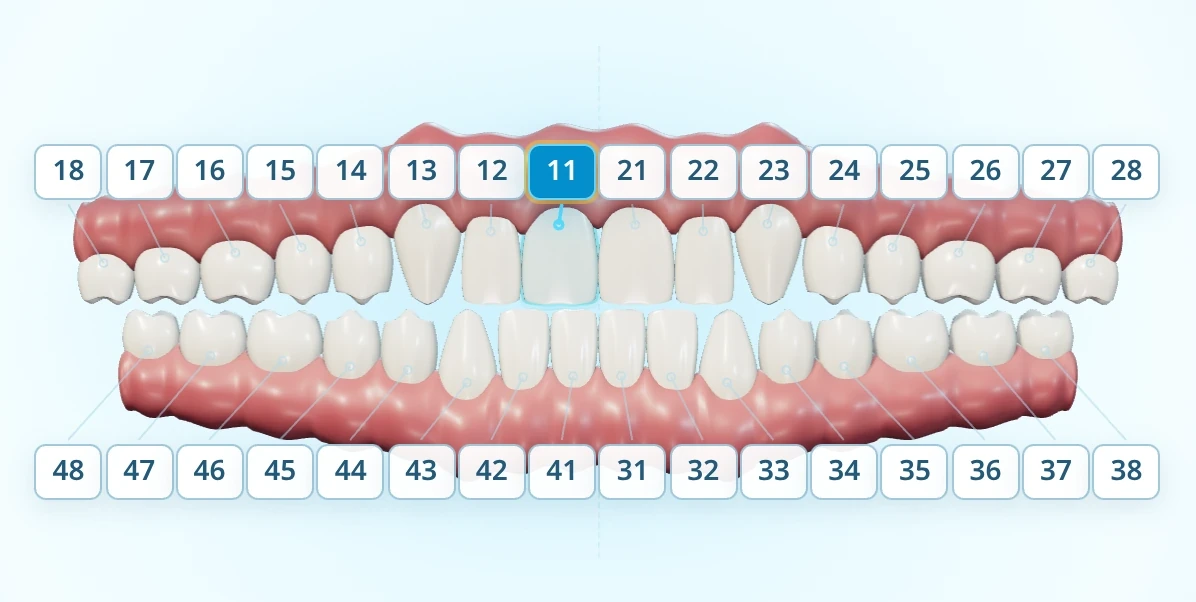 Interactive 3D viewer loads here. This light chart remains available if 3D is unsupported.
The portal keeps the selected tooth connected across both views, with conditions, notes and periodontal observations alongside the chart.
Explore gums, roots, numbered labels and finding layers. Isolate a selected tooth or adjust jaw opening in the portal.
Use a frontal chart with quadrant labels, selected-tooth context and clear assessment states.
Keep the selected tooth, condition, clinical note and periodontal observations together.
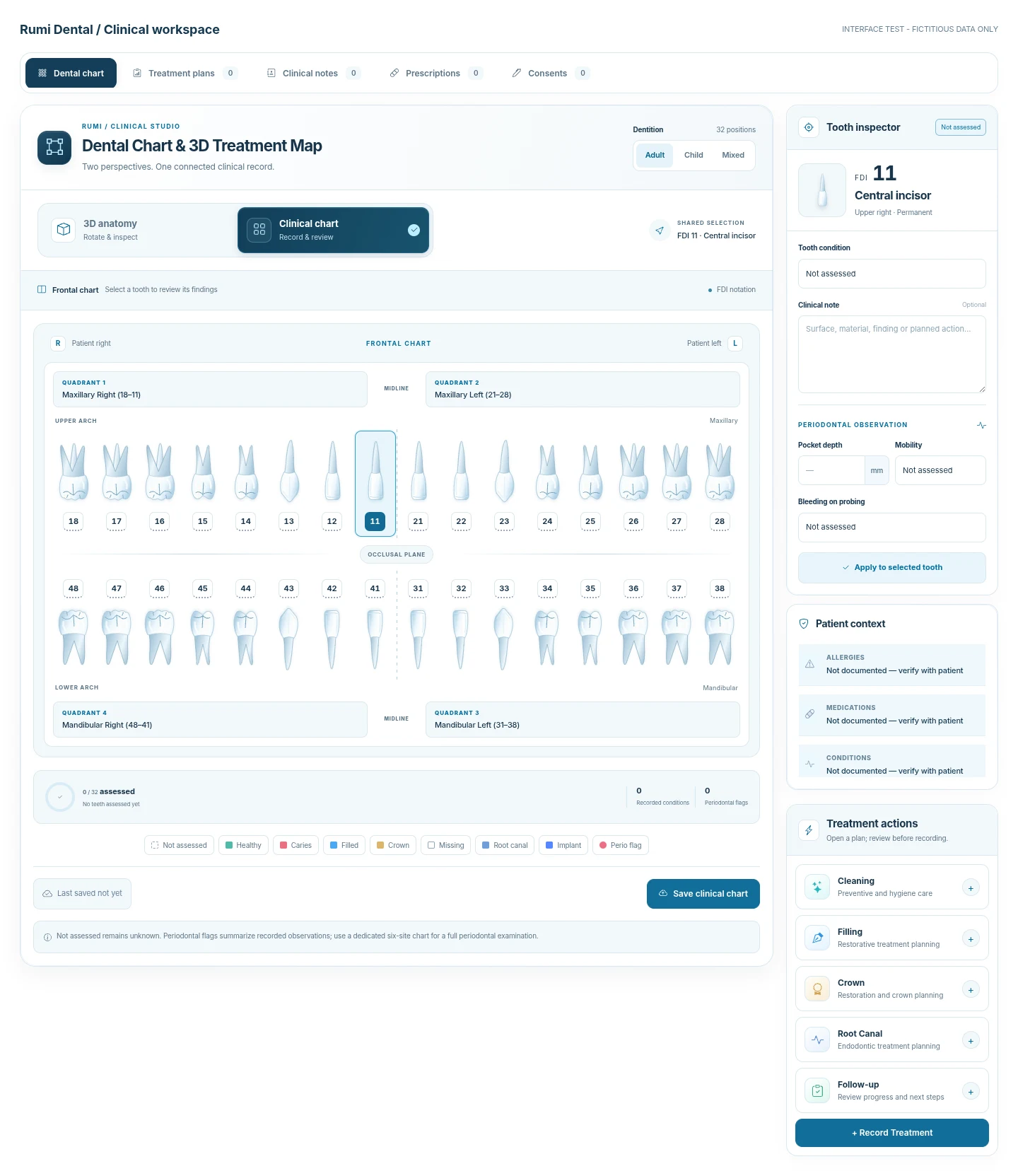
Switch dentitions without changing the meaning of the FDI notation.
Where WebGL is not available, the portal provides the clinical chart for tooth selection and recorded observations.
Not assessed remains unknown. A periodontal flag summarizes recorded observations; it is not a full six-site periodontal examination.
Apply observations to the selected tooth, then save the chart. Revision checks help detect changes saved by another session.
Bring your practice into one considered workspace.