Skip to content
Rumi DentalTHE DENTAL PRACTICE PLATFORM
Thoughtfully connected dental care

Care beautifully.Work together.Grow with clarity.

Bring the patient journey into focus. Connect appointments, clinical records, treatment plans and everyday practice work in one welcoming dental workspace.

From the first appointment request to the next follow-up—explore practical tools for your practice.
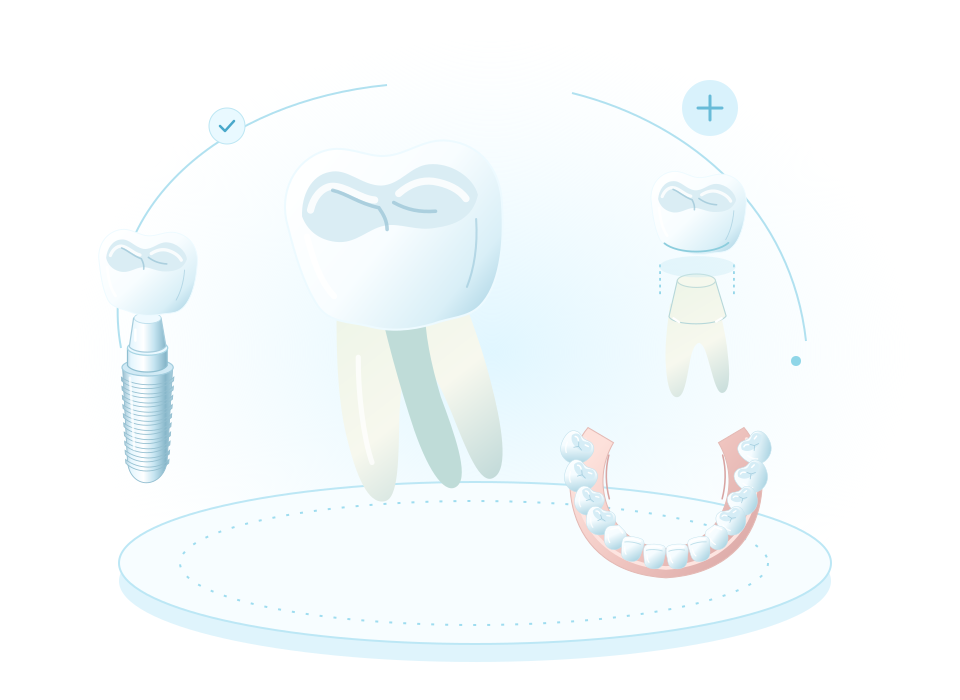
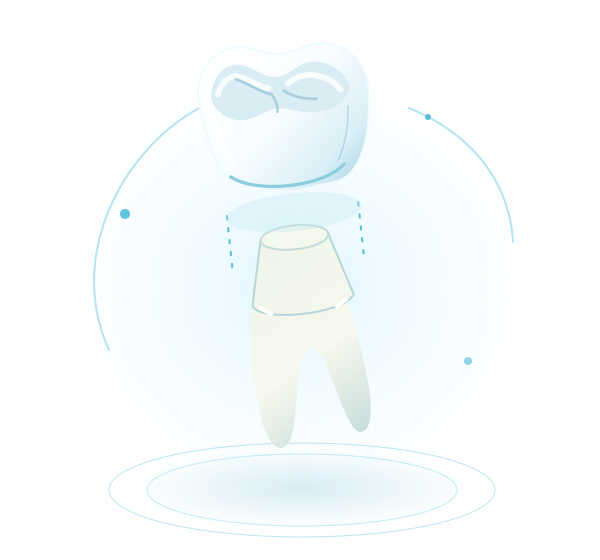
Illustrative three-dimensional tooth, crown, implant and dental arch
DEMONSTRATION WORKSPACE
The practice, in focusYour day. Your team. Your next step.
Care stays connectedPatient · Appointment · Treatment · Follow-up
Clinical carePractice operationsPatient experienceConnected teamwork
EVERY PART OF YOUR PRACTICE

One connected picture.

Clinical decisions, front-desk coordination and financial follow-through belong together. Give each person a focused workspace while keeping the patient journey connected.

Care with context

Find the history, chart, notes, treatment proposals and shared documents that make the next clinical step clearer.

A day that flows

Coordinate availability, appointments, waiting lists, chairs, team tasks and patient requests from the same practice workspace.

A practice that stays ready

Keep patient billing, payments, purchasing and stock in view, so everyday work supports the care your team provides.

EXPLORE YOUR EVERYDAY TOOLS

Find the details that matter to you.

Start with a task, choose a category, or search for a feature. Open a card to see how the tools support your clinic’s day, then move through the details at your own pace.

24 features shown

Choose a feature to explore the details
Daily practice Appointment schedulingGive every appointment, provider and dental chair a clear place in the day. Explore details
  • Month and agenda views with appointment status and resource filters.
  • Doctor availability and blocked-time management.
  • Branch-aware scheduling with appointment types and expected duration.
  • Public appointment requests feed the clinic workflow; staff confirm availability.
Daily practice Daily huddle and patient flowPrepare the team before the day begins and see what needs attention next. Explore details
  • Daily schedule and actionable patient preparation.
  • Arrival and waiting-room status, chair-side transitions and completed visits.
  • Waiting-list capture and updates.
  • Front-desk and clinician handoffs in the same workspace.
Clinical care Patient recordsKeep the patient story together from first registration to follow-up. Explore details
  • Searchable patient directory with branch and primary-clinician filters.
  • Demographics, contact details, medical history, allergies and clinical alerts.
  • Visit history, treatment plans, balances and a chronological patient timeline.
  • Archive controls and linked patient portal accounts.
Clinical care Interactive 3D odontogramExplore a dental chart with clear tooth identification and an accessible clinical diagram. Explore details
  • Adult, child and mixed dentitions with FDI numbering.
  • 3D rotation, zoom and front, upper, lower and perspective views.
  • Tooth conditions, notes and focused periodontal observations.
  • Independent chart records per dentition and conflict-aware saves.
  • Clinical diagram fallback when WebGL is unavailable.
Clinical care Clinician workspaceMove directly from the day list into the next clinical encounter. Explore details
  • Personal day list for clinical providers.
  • Patient context, medical history and review checklist.
  • Visit state transitions with an encounter record.
  • Structured notes, treatment and follow-up actions from the patient workspace.
Clinical care Clinical notes and addendaDocument care with a clear record of drafts, signatures and later corrections. Explore details
  • SOAP, progress, consultation, emergency and hygiene note types.
  • Editable drafts with revision checks.
  • Signed notes protected from direct edits.
  • Addenda preserve the original signed record.
Clinical care Treatment plans and consentTurn clinical findings into clearly priced steps patients can review. Explore details
  • Procedure and tooth-linked plan items with quantities, fees, discounts and tax.
  • Plan status, item progress and versioned revisions.
  • Patient accept/decline workflow in their portal.
  • Consent records linked to the patient and treatment plan.
  • Create patient invoices from treatment plans.
Clinical care Documents, prescriptions and aftercareKeep shared information close to the care it supports. Explore details
  • Patient document uploads with controlled sharing.
  • Authorized document downloads.
  • Prescription records with printable patient documents.
  • Printable procedure-specific aftercare sheets.
Patient experience Patient portalGive patients a clearer view of their care between visits. Explore details
  • Upcoming and past appointment information.
  • Shared documents and treatment proposals.
  • Appointment confirmation, change and cancellation requests.
  • Care requests, clinic replies and patient feedback.
  • Communication preferences.
Patient experience Care requests and feedbackKeep patient requests organized and visible to the team. Explore details
  • Central patient-request queue with review and response actions.
  • Status updates for operational follow-through.
  • Feedback and patient preference records.
  • Internal messages for team coordination.
Patient experience Reminders and patient communicationKeep the next appointment and follow-up in view for your patients. Explore details
  • Appointment reminders before the visit.
  • Email communication and supported messaging channels where available.
  • Patient communication preferences and contact information.
  • Patient audiences and scheduled communication.
Daily practice Tasks, recalls and follow-upKeep routine work and preventive follow-up from becoming disconnected. Explore details
  • Team tasks with assignees and status changes.
  • Patient recalls with due dates and follow-up status.
  • Optional preventive recall creation after completed care.
  • Operational messages and feedback review.
Clinic billing Patient invoices and paymentsKeep treatment, charges and payments in one financial workflow. Explore details
  • Itemized invoices, treatment-plan conversion and invoice printouts.
  • Patient payments with remaining balances.
  • Credit-note records and daily cash closing.
  • Insurance-claim records and status updates.
  • Amounts displayed in the clinic’s billing currency.
Clinic billing Practice activity and reportingSee the patterns behind the clinic’s day and the work that needs follow-up. Explore details
  • Date-range and location views of practice activity.
  • Patient balances and receivables aging.
  • Clinician activity, procedures and appointment status.
  • New-patient activity and low-stock visibility.
Daily practice Inventory and stock controlTrack essential dental materials from receipt to use. Explore details
  • Item names, SKUs, categories, units and supplier references.
  • Stock on hand, reorder levels, cost and selling price.
  • Batch numbers and expiry dates.
  • Purchase, usage, adjustment, transfer, expiry and return movements.
  • Low-stock and items-expiring-within-60-days filters.
Daily practice Dental materials and treatment catalogBuild clinic-specific stock and service lists from a detailed bilingual reference collection. Explore details
  • 200 materials, instruments and equipment entries across 15 inventory categories.
  • 120 procedures and treatments, 24 appointment types and 28 laboratory-work suggestions.
  • English and Farsi names, descriptions, categories and units, subject to language availability.
  • Search, category and installation filters, plus selected-entry, starter and full-collection previews.
  • Review additions and conflicts before confirmation; existing configured values are preserved.
  • New stock and service templates start inactive with zero quantities or fees for clinic review.
  • Configure and activate chosen entries; record real receipts and usage through stock workflows.
Daily practice Suppliers and purchasingConnect purchasing records with clinic stock. Explore details
  • Supplier directory and contact details.
  • Purchase orders with line items.
  • Order receipt into inventory.
  • Branch-level inventory and purchasing context.
Clinical care Laboratory case trackingCoordinate external laboratory work alongside the patient record. Explore details
  • Lab directory, patient and clinician assignment.
  • Work type, tooth numbers, shade and instructions.
  • Sent, due, received and fitted dates.
  • Draft, sent, received, fitted, remake and cancelled status.
  • Lab fees and file attachments including supported 3D file formats.
Daily practice Team coordination and attendanceKeep the people supporting the patient journey organized. Explore details
  • Team directory with active staff and location information.
  • Daily check-in and check-out records.
  • Clinicians and colleagues connected to everyday practice work.
Daily practice Clinic locationsKeep each location’s everyday details close to its care. Explore details
  • Location contact details and local time information.
  • Appointments and patient records organized by clinic location.
  • Location-specific services, appointment types and dental chairs.
  • Supplier and laboratory information alongside practice operations.
Online presence Clinic websites and Website StudioCreate a welcoming public presence with your clinic’s own identity. Explore details
  • 15 distinct website themes, each with its own matching booking presentation.
  • Website and appointment-request previews before publishing.
  • Logo, cover, photo gallery, colours and structured clinic content.
  • Services, team, process, FAQs, opening hours, locations and social links.
  • Live preview, section ordering, SEO title and description.
  • Downloadable business card with locally generated QR code.
Online presence Your clinic’s own web addressBring the clinic website and appointment requests together at a familiar address. Explore details
  • A connected clinic-owned domain for the public website.
  • Matching appointment requests under the same web address.
  • Your clinic’s services, hours and location presented with its own identity.
Clinic billing Excel and QuickBooks file exchangeExchange supported financial records in familiar file formats where available. Explore details
  • Excel workbooks for supported clinic financial records.
  • Balanced QuickBooks Online journal CSV files, separated by currency.
  • Preview imported rows and review errors before confirmation.
  • Keep matching existing records and resolve conflicting rows before import.
Daily practice Dates on screens and documentsFollow appointments and printed care information in the available calendars. Explore details
  • Gregorian dates, with Afghan Solar Hijri and Islamic civil display where available.
  • Supported date displays on appointment views and public booking.
  • Calendar lines on supported invoices, prescriptions and aftercare printouts.
  • Choose from the available calendar preferences in your account.

Available tools vary with your clinic’s plan and enabled services.
Explore the dental 3D collection
Natural tooth

Natural tooth

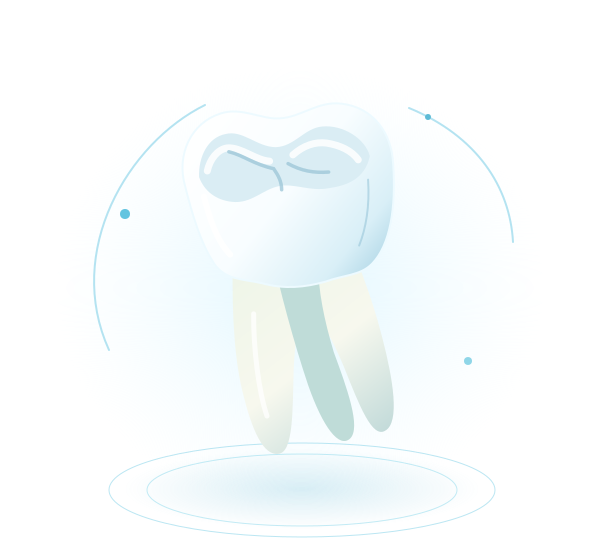
Rotate the molar to explore its crown, cusps and roots. In the portal, tooth identification links recorded findings with the patient’s clinical history.

Illustrative models · not patient scans or clinical treatment guidance

A CLOSER LOOK AT DENTAL CARE

Four perspectives.
One connected record.

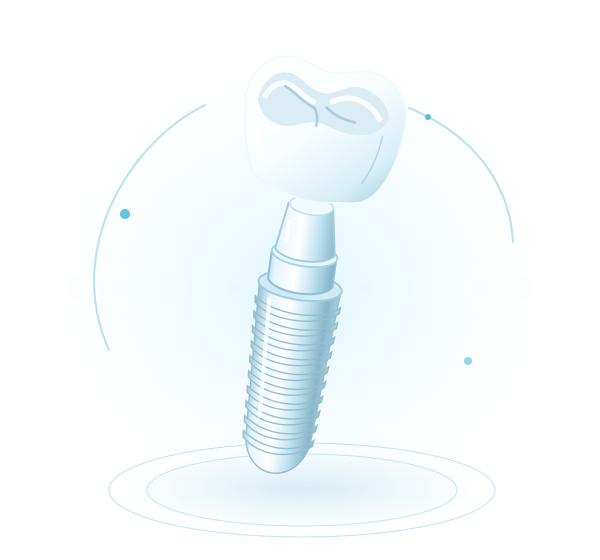
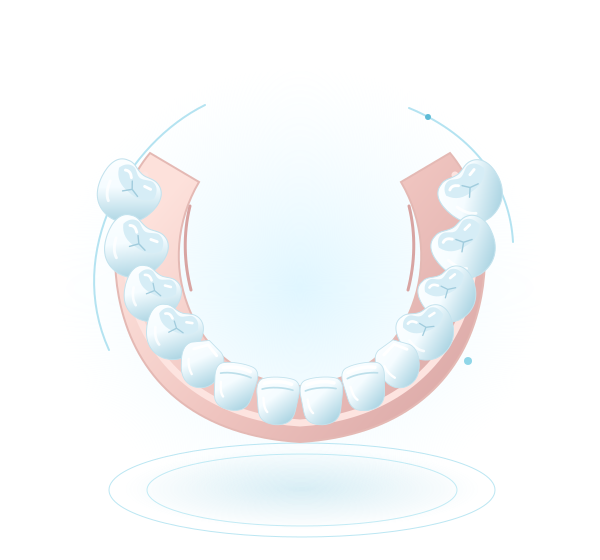
Explore a natural molar, a crown restoration, an implant assembly and a dental arch. These interactive illustrations introduce the clinical world your team works in; the portal connects each patient’s tooth findings, notes and treatment plans in a shared clinical workspace.

A chart with patient context

Connect FDI tooth findings, encounter notes and planned treatment without separating them from the wider patient record.

Plans that the team can follow

Keep proposed treatment, consent status, laboratory work and shared documents organized in their own workspaces.

Visual clarity on different devices

Rotate with a pointer or keyboard. Static illustrations and the clinical chart fallback remain available when 3D rendering is unsupported.

Explore features
FROM FEATURES TO EVERYDAY WORK

Built around what
your team actually does.

A detailed directory explains what is available. These connected workflows show where those tools fit into a clinic’s day—from the first request to the next follow-up.

01CLINICAL CONTINUITY

Keep the patient story together.

Begin with the patient’s history and relevant alerts, then move into the encounter, chart and proposed treatment. A shared record helps the next member of the team understand what was recorded and what still needs attention.

  • Record tooth findings and structured clinical notes; retain signed records and subsequent addenda.
  • Build treatment proposals, record consent status and manage laboratory cases as treatment progresses.
  • Prepare prescriptions, aftercare and shared documents, then organize recalls and follow-up tasks.
Explore this workflow
02A COORDINATED PRACTICE

Give the day a practical rhythm.

Reception, clinicians and assistants see different responsibilities, but work around the same patient journey. Scheduling, arrival status, tasks and resource availability help the clinic coordinate the next step.

  • Review online appointment requests and provider availability before confirming a visit.
  • Use the daily huddle, patient queue and appointment status to coordinate arrivals and clinical handoffs.
  • Follow inventory, suppliers, purchase orders and stock receipts so operational work stays visible.
Explore this workflow
03FINANCIAL FOLLOW-THROUGH

Follow the work from plan to payment.

Make the financial steps easier to follow alongside the care provided. Keep the treatment proposal, patient invoice, recorded payments and remaining balance connected to the patient’s visit history.

  • Create an itemized patient invoice from planned treatment.
  • Record payments and review the remaining balance.
  • Prepare printable invoices and follow outstanding patient accounts.
Explore this workflow
04A WELCOMING FIRST VISIT

Let patients get to know your practice.

Give patients a clear introduction before they arrive. Present your services, team, hours and location in a clinic website, then guide them into a matching appointment-request experience.

  • Choose a website design and add your clinic’s own photos and content.
  • Share service information, opening hours and location details.
  • Review incoming appointment requests and confirm the visit with the patient.
Explore this workflow
TAKE A LOOK INSIDE

The detail makes
the difference.

Follow familiar moments in a clinic’s day. Open a view to explore scheduling, clinical care, billing, stock and the patient-facing website.

Select a view to explore

01 / THE WHOLE PRACTICE

Start the day with a clear next step.

Bring appointments, patient flow, collections, tasks and follow-up into a practical overview of the day.

  • Today’s appointments and arrival status
  • Priority worklist, recall watch and lab follow-up
  • Billing follow-up and collections overview

Illustrative product previews use fictional demonstration records.
Practice overview
Read-only product preview
02 / PATIENT CONTEXT

The patient story, all together.

Review the chart, clinical history and treatment journey in the same workspace used to document the encounter.

  • Tooth findings and FDI dental charting
  • Structured notes, signed records and addenda
  • Treatment plans, documents and prescriptions

Illustrative product previews use fictional demonstration records.

Clinical care
Read-only product preview
03 / A COORDINATED DAY

Make room for better coordination.

Plan the day around people, providers and resources, then keep the team aware of what changes.

  • Month and agenda scheduling views
  • Appointment types, doctors and chair assignment
  • Clinic-reviewed online appointment requests

Illustrative product previews use fictional demonstration records.

Appointments
Read-only product preview
04 / FINANCIAL FOLLOW-THROUGH

Keep care and collections connected.

Move from planned treatment to itemized invoices, payment records and outstanding balances.

  • Patient invoices and treatment-plan billing
  • Recorded payments, credits and remaining balances
  • Printable documents and financial reports

Illustrative product previews use fictional demonstration records.

Billing & finance
Read-only product preview
05 / EVERYDAY READINESS

Know what your practice has on hand.

Keep stock, purchasing and supplier information together so the team can follow materials through the practice.

  • Stock quantities, categories and low-stock visibility
  • Supplier purchasing, receipts and usage
  • Bilingual catalog with 200 dental material templates

Illustrative product previews use fictional demonstration records.

Inventory
Read-only product preview
06 / YOUR CLINIC, ONLINE

A welcoming first impression.

Introduce the clinic, its services and the team before the patient’s first visit. The public website and appointment-request page share a consistent design.

  • Your clinic’s own identity and content
  • Services, team, opening hours and location
  • A matching appointment-request experience

Illustrative product previews use fictional demonstration records.

Clinic website
Clinic website — Illustrative product preview
Read-only product preview
PEOPLE AT THE HEART OF THE PRACTICE

Different days. A shared patient journey.

Patients, reception and clinical teams each need a clear next step. Connect their everyday work around the same care journey.

01

Patients

Check upcoming visits, shared documents and treatment proposals. Send care requests and follow your clinic’s replies between appointments.

02

Reception & coordination

Review appointment requests, prepare the schedule and follow arrivals, waiting lists and the next handoff.

03

Clinical teams

Review histories and alerts, document encounters and tooth findings, prepare treatment plans and coordinate aftercare.

04

Practice teams

Keep tasks, laboratory cases, patient billing, purchasing and stock organized around the work of the clinic.

ONE CLINIC. A DISTINCT IDENTITY.

Your practice deserves
a proper website.

Give patients a clear introduction to your clinic, its services and how to request a visit. The website and booking experience share the same design language.

15website designs in the installed collection

  • Distinct layouts, colors and editorial styles
  • Clinic content, photographs and section controls
  • Matching appointment-request pages
  • Mobile-friendly navigation and booking flows

Your clinic. Your own address.

Welcome patients at your clinic’s own web address. Your clinic website and matching appointment-request page can share the same domain once connected.

  1. 1Your clinic’s web address
  2. 2A website with your identity
  3. 3A matching booking experience

Illustrative clinic web address

Explore details

From discovery to an appointment request.

Patients share their contact details and preferred visit. The clinic reviews availability and confirms the appointment. Each booking page follows its clinic website’s theme.

FROM FIRST HELLO TO FOLLOW-UP

One journey. Fewer disconnected steps.

  1. 01

    Discover

    A patient visits the clinic website and requests an appointment.

  2. 02

    Coordinate

    The team reviews availability, confirms the visit and prepares the schedule.

  3. 03

    Document

    The clinician reviews the history, updates the chart and records the encounter.

  4. 04

    Follow through

    Treatment, billing, shared documents and follow-up stay part of the same patient story.

A COMFORTABLE WAY TO WORK

Clear information.
A familiar reading experience.

Supported English and Farsi interfaces, thoughtful layouts and readable documents help people find their way through everyday care.

A welcoming public experience

Introduce your clinic with clear service descriptions, opening hours, locations and a matching appointment-request page. Write content in the languages your patients understand.

A readable clinic workspace

Use the available interface languages and supported calendar displays to make schedules, records and printed care documents easier to follow.

Clinic-written content stays as written. Supported interface languages and calendar displays may vary by clinic.

YOUR PRACTICE, AT A GLANCE

The practical details.

The everyday capabilities behind a connected patient journey—from the first visit to treatment, payment and follow-up.

Clinical charting
FDI notation; adult, child and mixed dentitions; interactive 3D views and a clinical diagram fallback.
Patient records
Medical histories, allergies, alerts, visit timelines and linked treatment information.
Clinical notes
Structured drafts, signed notes and addenda that preserve the original record.
Treatment planning
Tooth-linked procedures, quantities, fees, progress, consent records and patient proposals.
Scheduling
Month and agenda views with clinicians, appointment types, chair assignments and blocked time.
Daily coordination
Patient arrivals, waiting lists, daily huddles, team tasks and follow-up status.
Patient experience
Clinic-linked accounts, appointment information, shared documents, proposals and care requests.
Patient billing
Itemized invoices, recorded payments, credit notes, balances and printable documents.
Inventory
Stock levels, reorder points, batches, expiry dates and recorded stock movements.
Dental reference collection
200 material entries, 120 treatment templates, 24 appointment types and 28 laboratory-work suggestions.
Purchasing
Supplier contact details, itemized purchase orders and receipts into inventory.
Laboratory work
Patient-linked cases, tooth numbers, shade, instructions, attachments and progress dates.
Documents
Shared patient files, prescriptions, printable aftercare sheets and invoice printouts.
Clinic websites
Distinct website themes, clinic content and photos, matching booking pages and custom web addresses.
Responsive experience
Desktop, tablet and mobile layouts with keyboard-accessible feature exploration.
Dental visual exploration
Four illustrative dental models with rotation, pause, static fallbacks and reduced-motion support.
Website language
Explore this website in English or Farsi, with right-to-left reading for Farsi.
Financial file exchange
Exchange supported clinic financial records through Excel workbooks and QuickBooks Online journal CSV files. Review imported rows before confirmation. Availability varies by clinic.
Dates and calendars
Supported screens and printed documents can display Gregorian, Afghan Solar Hijri and Islamic civil dates where available.
DETAILS THAT MAKE DAILY WORK EASIER

Keep every next step
within reach.

A clear appointment, a complete clinical note and a visible follow-up help the whole team keep care moving.

Prepare the visit

Bring the appointment, patient history and relevant alerts into view.

Record the care

Keep tooth findings, notes, proposed treatment and shared documents together.

Coordinate the next step

Follow tasks, laboratory cases, recalls and the clinic’s response to patient requests.

Stay ready for tomorrow

Review the next schedule, outstanding balances, purchasing and stock needs.

QUESTIONS, ANSWERED

A little more clarity.

Register your clinic
How does a clinic get started?

Register your clinic, verify your email and review the available plans. Once registration is complete and access is ready, prepare your clinic details, services and patient journey.

Can patients book from the clinic website?

Patients can send an appointment request from the clinic’s themed booking page when online booking is available. The clinic reviews availability and confirms the appointment.

Can the clinic use its own domain?

Yes. A connected clinic domain can display both the public clinic website and its matching booking page at the clinic’s own web address.

Are these previews live patient records?

No. The product previews use fictional demonstration content. They introduce familiar clinic workflows without showing real patient records.

Is the 3D dental view a patient scan?

The model is an interactive dental illustration. The clinical odontogram records tooth findings and notes; patient-specific scans and diagnostic imaging remain separate.

Where can I see the available plans?

The clinic registration page shows the current plans. Review the available clinic features and choose the option that fits your practice.

How do patients receive portal access?

The clinic creates and links a patient account to the patient record. Patients should contact their clinic for access or help with an existing account.

Can I explore the website on a phone?

Yes. The public pages and feature cards adapt to smaller screens. Open a feature for a focused detail view, then return to your search without losing your place.

Can the clinic send appointment reminders?

Appointment reminders and patient communications are available through the communication services connected to the clinic. Channel availability can vary.

Can a clinic exchange financial files?

Where available, the clinic can exchange supported financial records through Excel workbooks and QuickBooks Online journal CSV files. Imported rows are reviewed before confirmation.

What does QuickBooks compatibility include?

It covers file-based QuickBooks Online journal exchange alongside the portal’s Excel financial workbook. CSV imports add journal history; the native Excel workbook carries detailed portal financial records. Live synchronization and QuickBooks Desktop company-file formats are outside this file exchange.

Can I use Farsi?

Use the language choices available on the page or in your account. Supported Farsi interfaces use right-to-left layouts. Clinic-written text remains in the language in which it was entered.

Are catalog materials and fees ready to use immediately?

The catalog provides reference templates for clinic setup. New material and service entries start inactive, with zero stock or fees as applicable. Review and configure the entries before using them.

Can the clinic tailor its website content?

Yes. The Website Studio provides controls for clinic branding, photos, services, team information, opening hours and page sections, with website and booking previews.

Can I prepare the catalog before receiving stock?

Yes. Review material names, units and prices first. Then record the quantities actually received through the inventory receipt and stock-movement tools.

How do treatment plans connect with billing?

Treatment plans can include tooth-linked procedures and fees. A plan can then be used to create a patient invoice, with payments and balances followed in the billing workspace.

How are follow-up visits organized?

Patient recalls, due dates and team tasks help the clinic follow the next step after care. Patients can also send care requests from their linked account.

What should the clinic check before everyday use?

Review clinic details, services and fees, appointment availability, patient access, website content and booking. Rehearse a visit, invoice and follow-up with fictional records before beginning real work.

A PRACTICAL PATH TO YOUR FIRST DAY

Start with a clear setup plan.

Bring the platform into your clinic in manageable steps. Configure the people, services and communications that matter before you begin using real patient records.

  1. 01

    Register your clinic

    Create your clinic application, verify your email and review the available plans. Prepare the contact details and information patients need to find your practice.

  2. 02

    Prepare your everyday workspace

    Add clinic and location details, organize appointment types and review the people involved in the patient journey. Choose the available display options that suit your team.

  3. 03

    Prepare services and materials

    Select useful entries from the Dental catalog. Configure treatment fees, active appointment types, materials and suppliers; starter templates do not create real stock quantities or prices.

  4. 04

    Publish and rehearse the journey

    Choose the clinic website design, review its content and booking flow, and connect a custom domain if needed. Use fictional records to check a visit, invoice, shared document and follow-up before everyday use.

MAKE YOUR NEXT DAY A CONNECTED ONE

More clarity for your team.
More time for your patients.

Explore the available plans and bring your practice into one shared workspace.
Illustrative product previews use fictional demonstration records.

What you can do